
by Tom Chandler | Feb 18, 2025 | Presentations, Spreadsheets, Tips, Word Processing
When it comes to saving files in Microsoft Word, Excel, and/or PowerPoint, I have some bad news and some good news. The bad news I have been frustrated. I hate the Save this File dialog box that comes up when I click the Save icon, or press Ctrl S, or choose File,...

by Tom Chandler | Jan 29, 2025 | Macros, Spreadsheets
In this week’s blog, you can read about, and download, a cool cheat sheet you can use when learning and programming macros with Excel VBA. When creating an Excel VBA macro, there’s a lot to keep in mind. This includes: The five steps to follow when...

by Tom Chandler | Jan 18, 2025 | Macros, Spreadsheets
It is January, the start of a new year. As such you may find you need to add 12 new worksheets, one for each month of the year, to your existing workbook. But this year you decide you are sick of doing monotonous, repetitive, mindless work of open the workbook, adding...

by Tom Chandler | Oct 4, 2024 | Macros, Spreadsheets
In Microsoft Word and Excel, if you want to create a macro, you will want to use the Developer tab. To learn how to add this useful tab to your ribbon, click the Get Started button below.
by Tom Chandler | Jun 29, 2022 | Spreadsheets
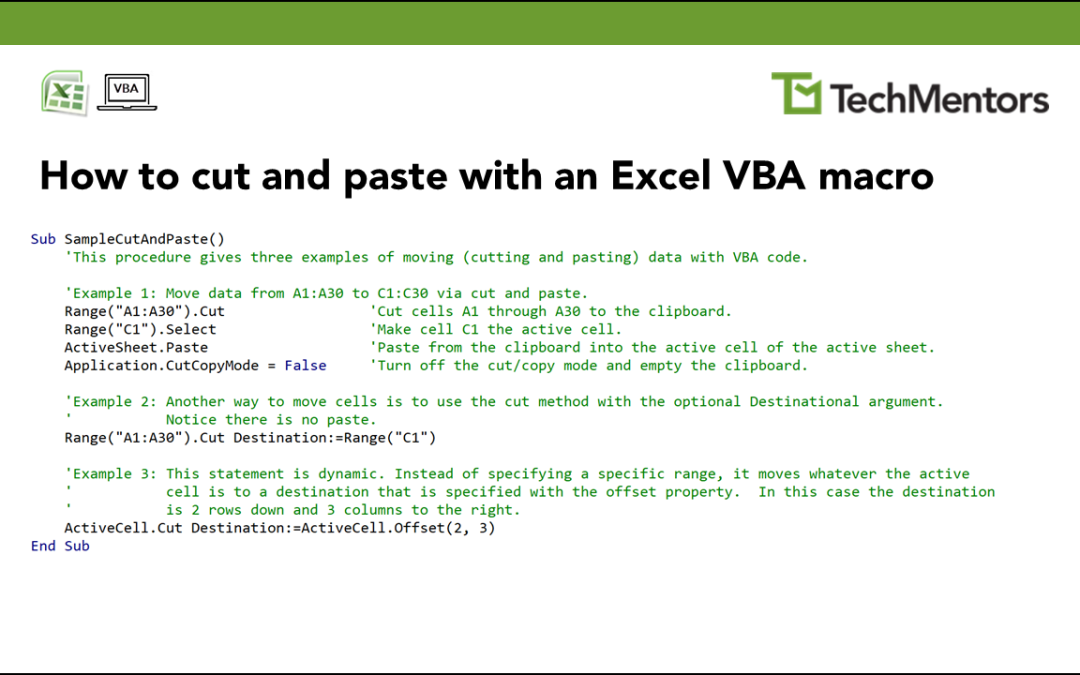
This week’s Excel VBA macro shows you how to program a cut and paste action. Three examples are shown in the image above: The first uses four statements to cut a range of cells, reposition the cursor, paste, and finally turn off the cut/copy mode. The second example...
by Tom Chandler | Jun 28, 2022 | Spreadsheets
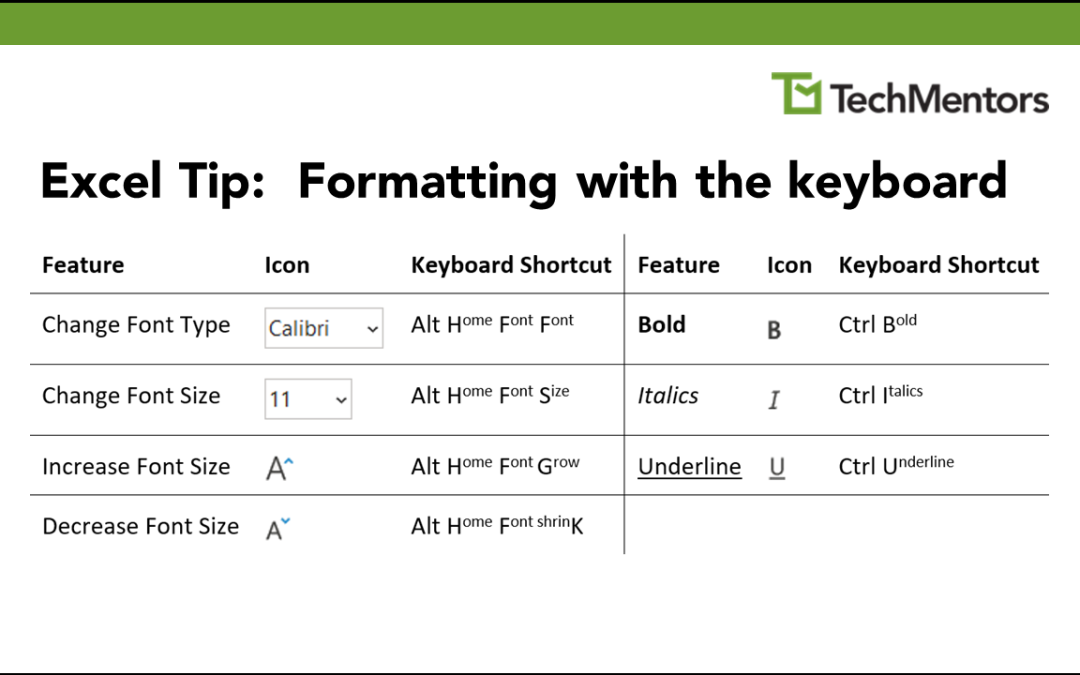
Excel lets you apply multiple formatting features with either the mouse or the keyboard. Some keyboard shortcuts are intuitive, such as Ctrl B for Bold and Ctrl I for Italics. Some keyboard shortcuts are not intuitive. For example, Alt HFK decreases the font size. As...

