
Free Excel Exercises • Level 2
Grandma Madeline’s Sales
Grandma Madeline’s kitchen has 1,200 sales to make sense of. In these two hands-on exercises, you’ll turn her raw data into a monthly sales report, first with formulas and then with PivotTables. Each exercise has a step-by-step handout and its own starting workbook.
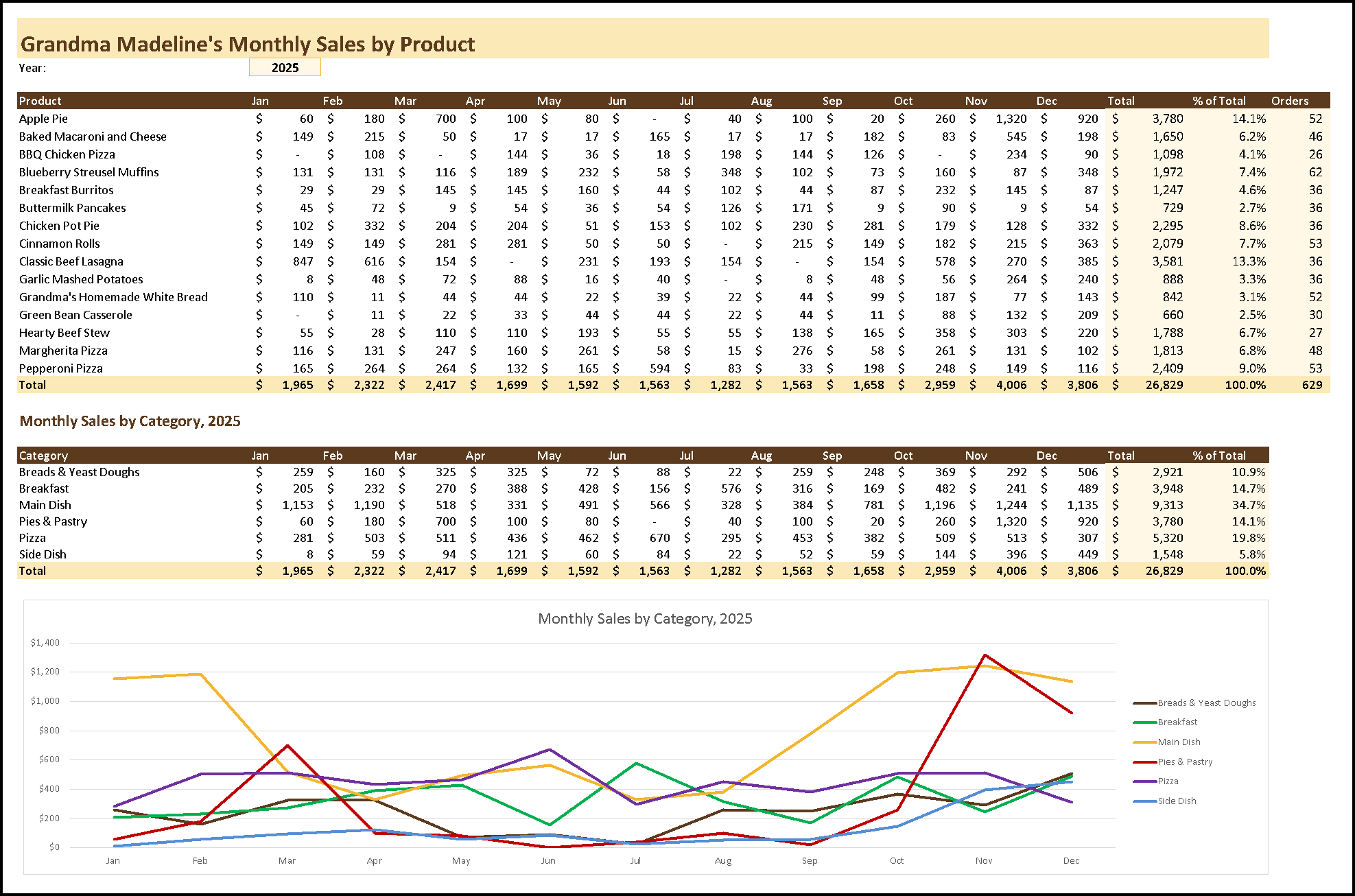
Formula Review
- Excel Tables and calculated columns
- Remove Duplicates and fixing dirty data
- SUMIFS with relative, absolute, and mixed references
- A Data Validation drop-down for the year
- A line chart with a linked title
PivotTables
- PivotTables from an Excel Table
- Grouping dates by year and month
- Show Values As: % of year and % of total
- A Top 5 PivotChart
- Slicers connected to several PivotTables, and Refresh
Before you start
You’ll need Excel for Microsoft 365, or Excel 2016 or later for Windows. A few extra-credit steps use functions found only in Microsoft 365.
The exercises can be done in either order. Exercise 1 makes a good warm-up, and Exercise 2 shows how a PivotTable builds the same kind of report in a fraction of the time.
Can’t download the workbook?
Some workplace networks block Excel downloads. Try again from home, or email tom@theTechMentors.com and I’ll send you the files.
Want to learn Excel with an instructor beside you?
Explore TechMentors classes